

Why event check-in fails (and how to fix it)
Check-in is the first experience your attendees have at your event. It's also the most likely thing to go wrong. A queue that stretches out the door, a scanning app that won't load, a badge printer that jams on delegate 47 — these aren't rare disasters. They happen at events every week, and they're almost always caused by the same preventable problems.
Problem one: venue Wi-Fi dependency
Most cloud-based check-in systems require a constant internet connection. Every badge scan sends a request to a server, waits for a response, and then processes the result. This works perfectly in a demo room with enterprise Wi-Fi. It falls apart in a convention centre foyer with 800 people trying to connect simultaneously.
Venue Wi-Fi is unreliable by nature. Convention centres, hotels, and conference venues have shared networks that weren't designed for hundreds of concurrent connections from a single registration desk. Add the attendees' phones, the exhibitors' devices, and the AV team's streaming equipment, and you've got a network that's already under strain before check-in even starts.
When the connection drops — and it will drop — your check-in system stops working. Queues build. Staff resort to paper lists. The first 30 minutes of your event are spent apologising.
Problem two: single point of failure
Cloud-only check-in means your entire registration operation depends on a single external service. If the platform has an outage, you have no check-in. If the API is slow, every scan takes seconds instead of milliseconds. If there's a DNS issue between the venue and the cloud provider, you're offline.
You wouldn't run your event lighting through a single extension cord with no backup. But that's essentially what most check-in systems ask you to do — route every scan through a single dependency chain with no local fallback.
Problem three: badge printing bottlenecks
On-demand badge printing is better than pre-printed badges (no wasted stock, no alphabetical sorting, supports late registrations). But it introduces its own failure modes.
Thermal printers jam. Ribbon printers need cartridge changes mid-queue. Network printers lose their connection. The print spooler crashes. A badge template renders incorrectly for names with special characters. Each of these problems stops the queue until someone fixes it — and at peak check-in, even a two-minute delay creates a visible queue.
The issue isn't that printers are unreliable. It's that most systems treat badge printing as a serial process: scan, print, wait, hand over, next. One printer failure stops the entire line.
Problem four: no offline fallback
This is the critical gap. When the network fails, most check-in systems display an error screen. They don't have a local copy of the registration data. They can't process a scan without a server response. They can't queue transactions for later synchronisation.
At a 2,000-person conference, check-in typically peaks in a 90-minute window. If your system is offline for even 15 minutes during that window, you've created a backlog that takes an hour to clear. And you've started your event with frustrated attendees and stressed staff.
How ema solves each one
ema's on-site infrastructure is designed around a simple principle: check-in should work regardless of what happens to the internet connection.
Local on-site server
ema deploys a local server at the venue. Registration data is synchronised to this server before the event starts and kept in sync while connectivity is available. When a badge is scanned, the check-in request goes to the local server first — not to the cloud. Response times are measured in milliseconds, not dependent on network latency or cloud availability.
If the internet connection drops, check-in continues uninterrupted. The local server has everything it needs: the full registration database, badge templates, and check-in logic. When connectivity is restored, any transactions processed offline are synchronised back to the cloud automatically.
Redundant badge printing
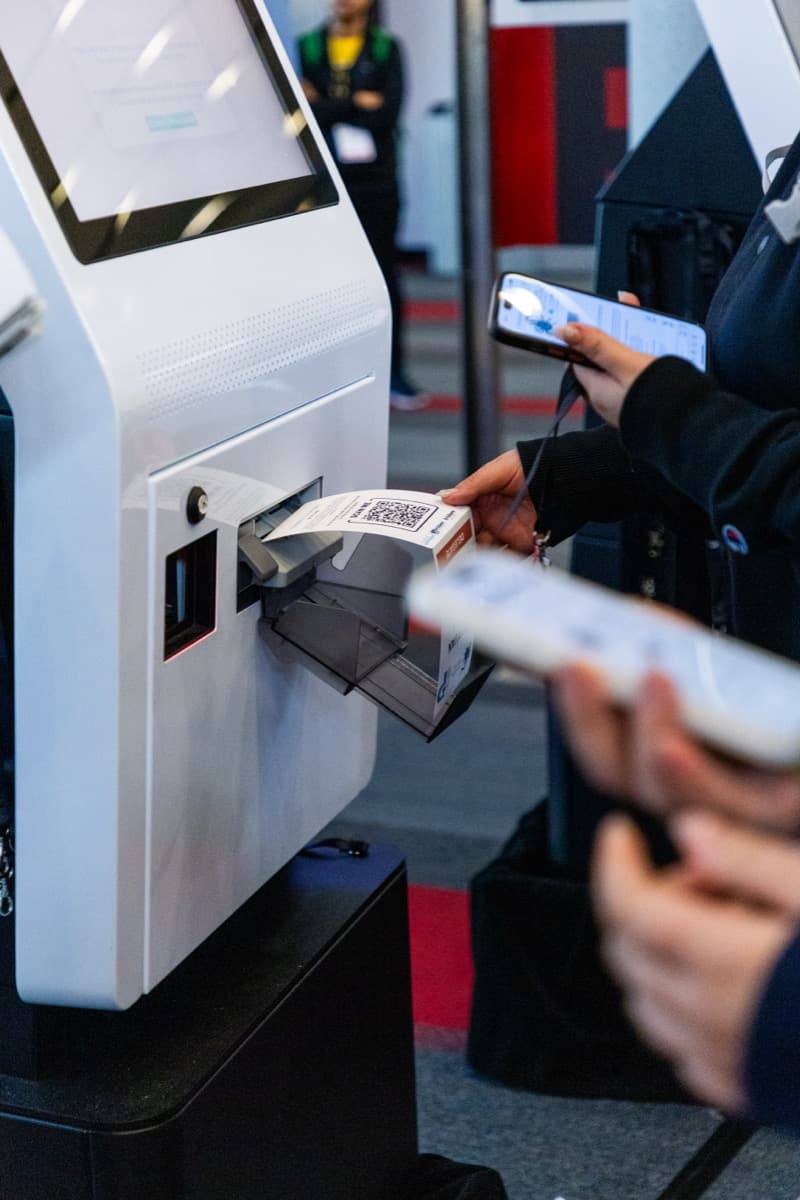
ema supports multiple concurrent badge printers with automatic failover. If printer one jams, the next badge routes to printer two. Staff don't need to troubleshoot — the system handles redistribution automatically. This turns badge printing from a serial bottleneck into a parallel process that degrades gracefully.
Multi-device check-in
Rather than funnelling all check-ins through a single station, ema supports distributed check-in across multiple devices — tablets, phones, dedicated scanning hardware. Each device connects to the local server, so adding more check-in points doesn't add more network dependency. Peak demand is handled by adding devices, not by hoping the Wi-Fi holds up.
Real-time capacity monitoring
As attendees check in, the system provides real-time counts across all entry points. Event managers can see check-in velocity, identify bottlenecks, and redirect attendees to less busy entrances — with data that's live, not delayed by cloud synchronisation.
The reliability standard
Check-in technology should be invisible. Attendees should walk up, get scanned, receive their badge, and walk in. The entire interaction should take under 15 seconds. Anything longer, and you're creating a queue. Anything that depends on a single network connection is a queue waiting to happen.
The question to ask your platform provider is simple: what happens to check-in when the Wi-Fi goes down? If the answer involves the word "unfortunately," you have a problem.